 Photoch
Open the editor
Photoch
Open the editor
Remove background
Remove the background from a photo in one click
Photoch finds the subject of your photo with AI and hides everything else, with clean edges around hair and fine details. It's free, it runs in your browser, and because the result is a layer mask you can fix any part by hand.
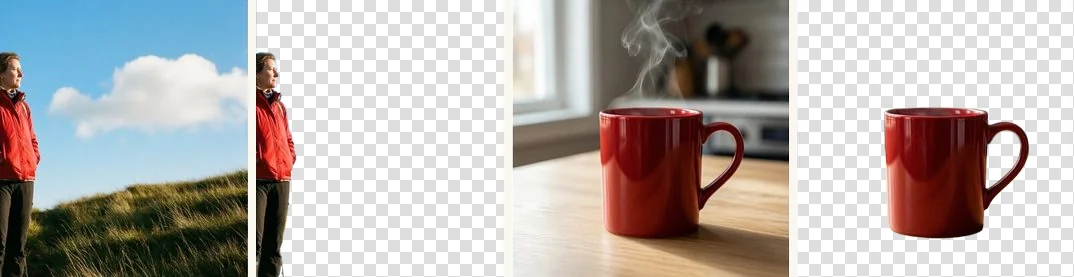
How to remove a background
- Open your photo. Go to photoch.com and drag your image onto the page, or choose File > Open. JPEG, PNG, WebP, AVIF and more are supported.
- Click Remove background. It's in the floating bar at the bottom of the canvas, and under Quick Actions in the Properties panel. Photoch selects the subject and masks out the rest.
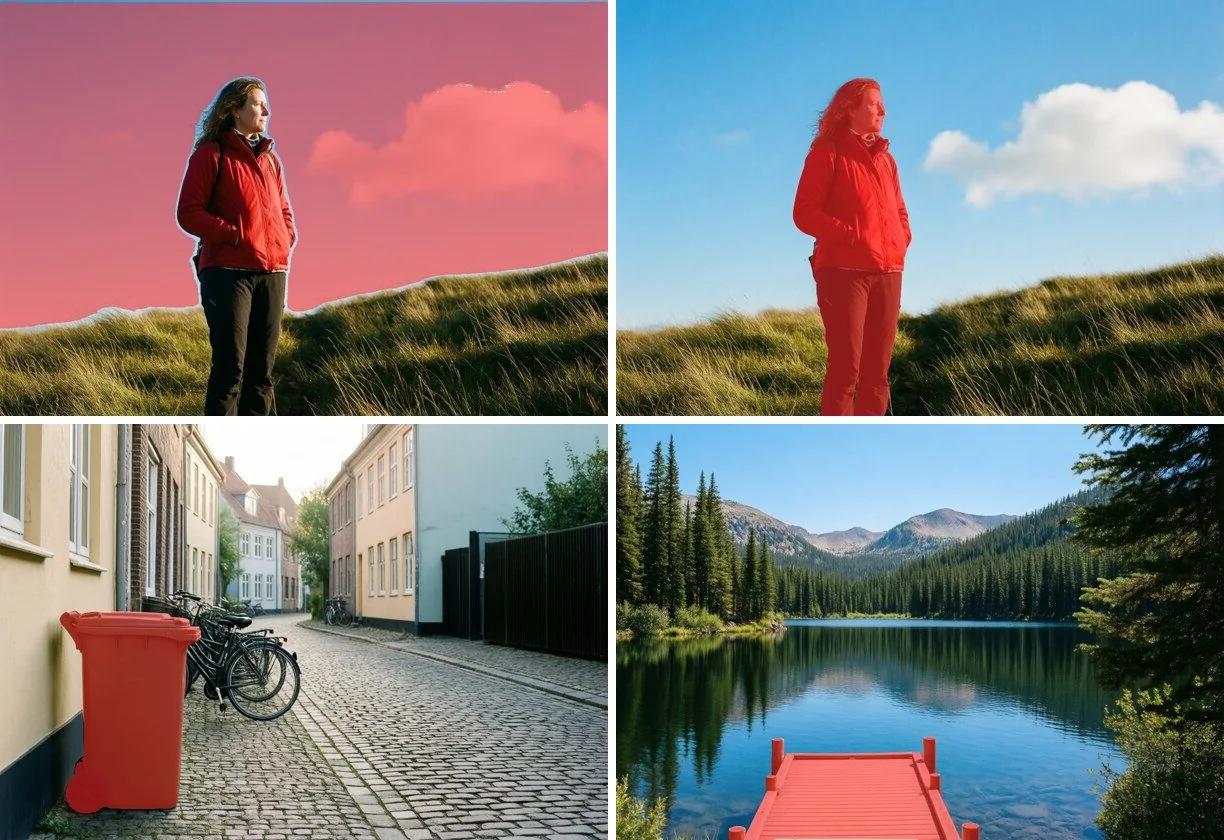
- Check the edges. Zoom in. To bring something back, paint on the layer mask with a white brush; to hide more, paint with black.
- Save it. Choose File > Export > Quick Export as PNG to get a transparent PNG, or keep working: add a new background, a shadow or text.
Made for real photos
People and portraits
Cut out people for profile pictures, thumbnails and composites, with hair and outlines that follow the photo.
Products
Put products on a clean white or transparent background for online shops and marketplaces.
Pets, cars and objects
Anything that stands out as the subject. To cut out something else, select it with Select by Prompt or the Object Selection tool and add a mask.
Clean edges
Edge colors are cleaned up as the background is removed, so there's no halo when you place the subject on a new background.
More than a background remover
Photoch is a full photo editor, so you don't need another app for the next step. Put your subject on a new background, add a drop shadow with Layer Styles, match the colors with adjustment layers, or fill in a new scene with Generative Fill.
Prefer to make the selection yourself? Use Select > Subject, then Select > Refine Selection to tune the edge before adding the mask.
Questions
Is removing a background free?
Yes. Background removal is free in Photoch, with no watermark and no account needed. There's a daily allowance for the AI tools, which doubles when you sign in.
How do I save the image with a transparent background?
Export it as a PNG or WebP, for example with File > Export > Quick Export as PNG. JPEG can't store transparency.
Can I fix parts the AI got wrong?
Yes. The background is hidden with a layer mask, not deleted. Paint on the mask with white to bring parts back and with black to hide more.
Is my photo uploaded?
To find the subject, a copy of the image is sent to Photoch's AI server, processed in memory and deleted as soon as the result is back. It isn't stored or used for training. See the privacy policy.
Remove a background now
Free, in your browser, with nothing to install.