 Photoch
Open the editor
Photoch
Open the editor
PSD editor
Open and edit PSD files online, for free
Photoch opens PSD and PSB files right in your browser, with their layers still editable. Change text, swap images, adjust colors and save it back as a PSD, or export a PNG or JPEG. No download and no account.
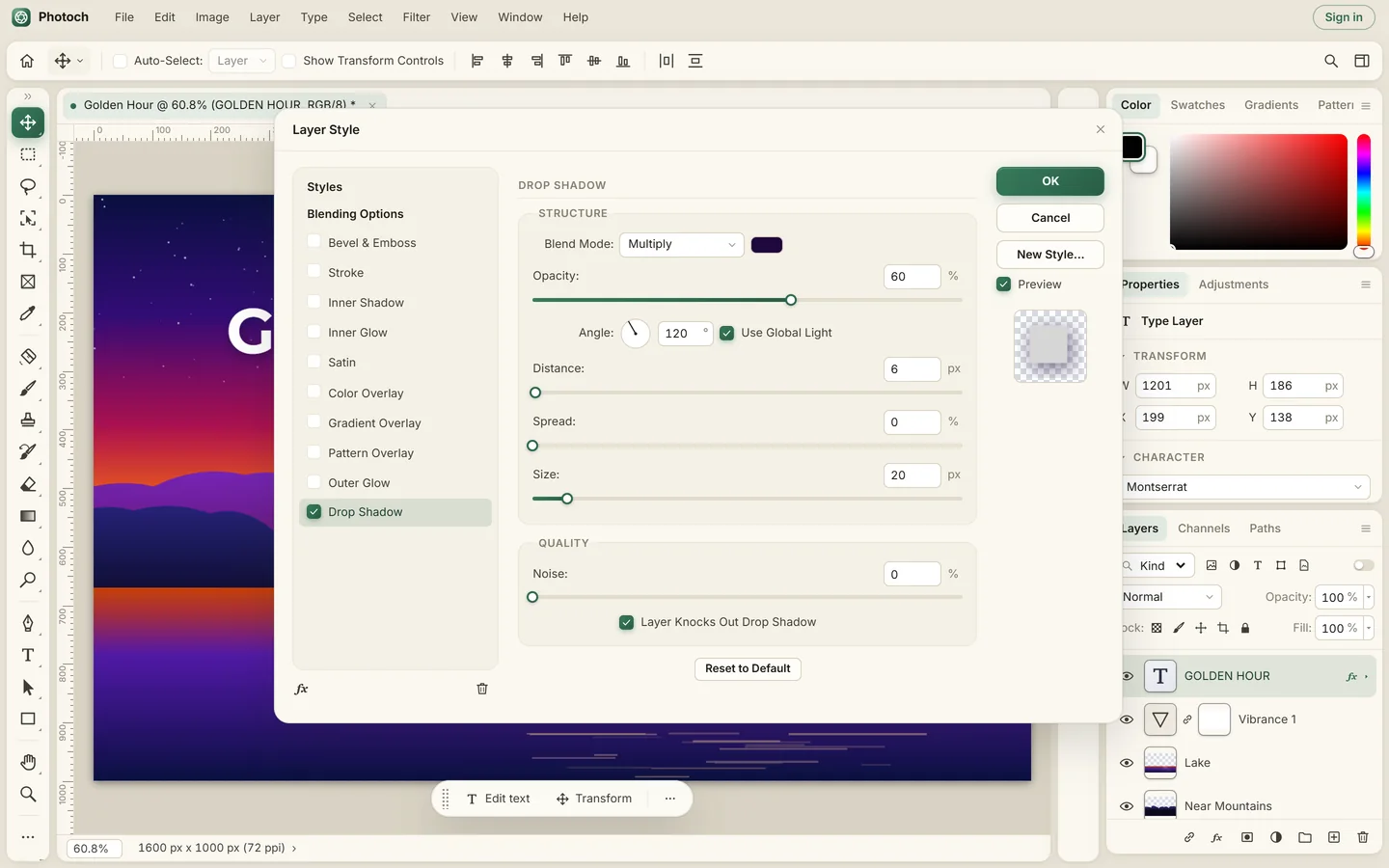
What Photoch keeps from your PSD
- Layers and groups, with their names, order, visibility, opacity, fill and blend modes
- Layer masks and clipping masks
- Layer styles: Drop Shadow, Stroke, Bevel & Emboss, Glows, Satin and Overlays
- Adjustment layers such as Levels, Curves, Hue/Saturation and Color Balance
- Text layers you can still edit, with their font, size, color and alignment (mixed styles in one text layer become its main style)
- Shape layers, fill layers and paths
- Smart objects, as their rendered pixels
If part of a file can't be kept as it was, Photoch tells you when the file opens, so nothing changes without you knowing.
How to edit a PSD file online
- Open Photoch. Go to photoch.com. The editor loads in a few seconds in Chrome, Edge, Firefox or Safari.
- Open your PSD. Drag the file anywhere onto the page, or choose File > Open. Your layers appear in the Layers panel.
- Make your changes. Double-click a text layer's thumbnail to edit its text, use the Move tool to arrange layers, or add an adjustment layer to change colors.
- Save it. Choose File > Save As and pick PSD to keep everything editable, or File > Export to get a PNG, JPEG or WebP.
Your file stays on your device
Photoch reads and writes PSD files inside your browser. The file isn't uploaded to a server, so it's quick even for big documents, and private. Files you open are listed on the home screen so you can come back to them later.
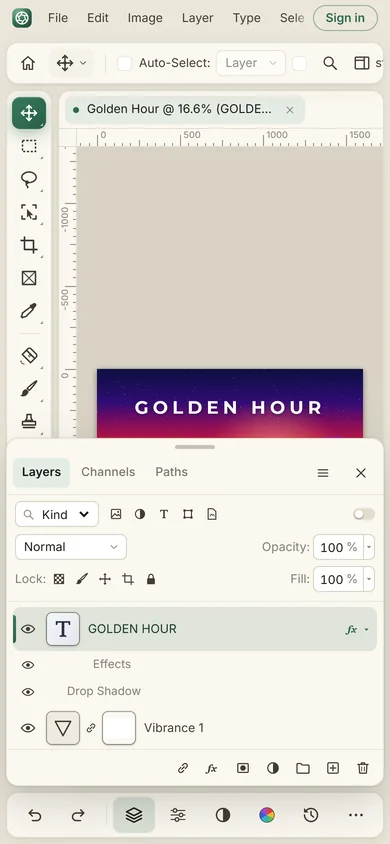
Need a PSD editor on the go? Photoch also works on tablets and phones, with touch gestures for zooming, panning and undo.
Questions
How do I open a PSD file without Photoshop?
Go to photoch.com and drag the PSD file onto the page, or choose File > Open. It opens with its layers in your browser, for free, with nothing to install.
Is my PSD file uploaded?
No. Photoch reads and saves PSD files on your own device. Your file isn't sent anywhere unless you use one of the AI features on it.
Can I save my changes as a PSD?
Yes. Use File > Save or Save As and choose PSD to keep your layers, masks, text and styles editable. You can also export PNG, JPEG or WebP.
Does it open PSB (large document) files?
Yes, Photoch opens PSB files too. Very large documents depend on how much memory your device has.
Open your PSD now
Free, in your browser, with nothing to install.