 Photoch
Open the editor
Photoch
Open the editor
Features
A complete photo editor that runs in your browser
Photoch is a free online photo editor with the tools you expect from desktop software: layers, masks, adjustment layers, layer styles, precise selections, retouching, filters, type and PSD files. Add AI tools on top, and use it on a computer, a tablet or a phone.
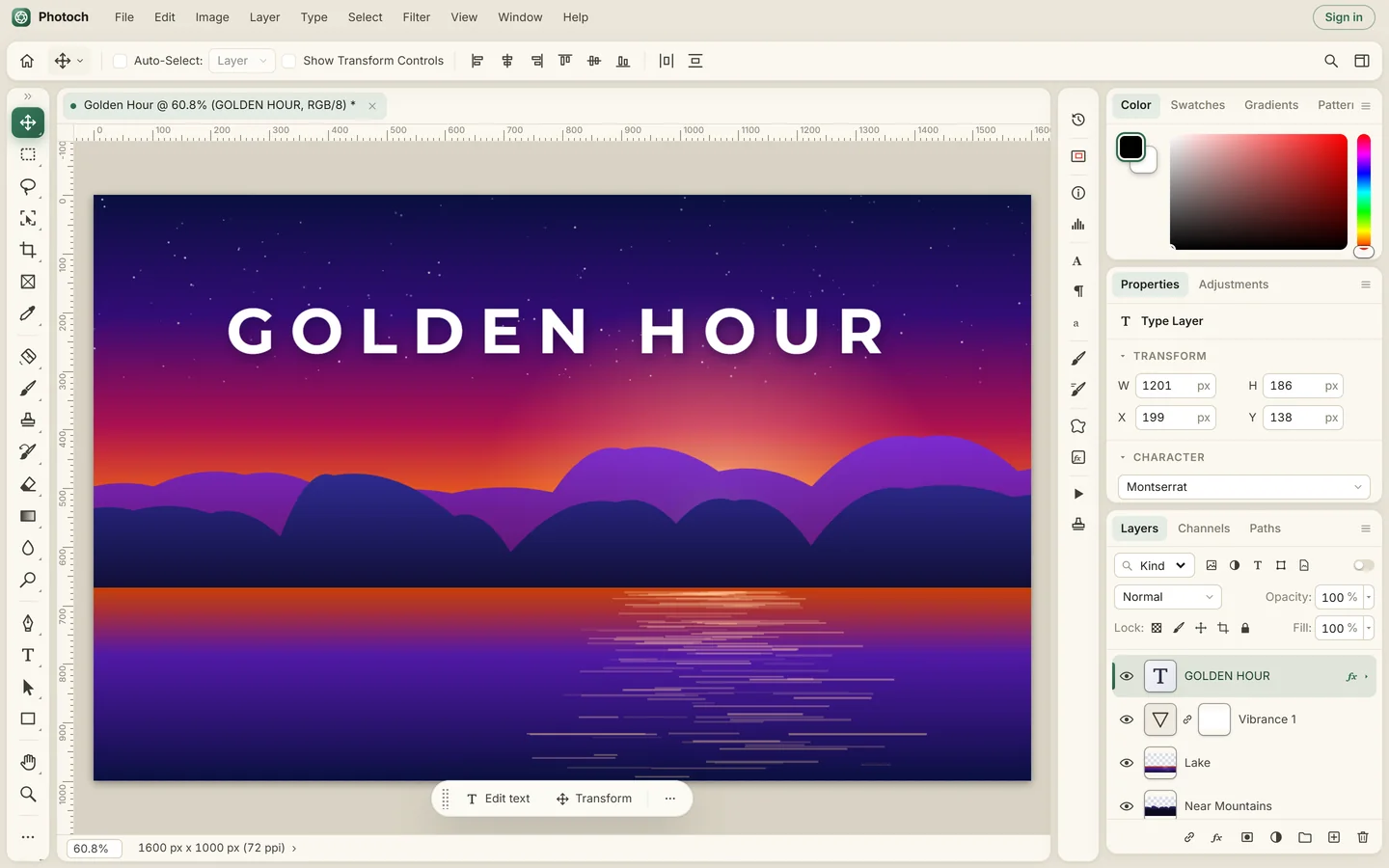
Layers, masks and non-destructive editing
Build images out of layers and change your mind at any time. Every edit that can stay editable does: adjustment layers sit above your photo, masks hide instead of erase, and smart layers keep their original pixels when you scale them.
Layers and groups
Opacity, fill, 27 blend modes, clipping masks, locking, groups, alignment and distribution, Merge Visible and Stamp Visible.
Layer masks
Paint black to hide and white to reveal, make a mask from a selection or from transparency, and turn it off to compare.
Adjustment and fill layers
Brightness/Contrast, Levels, Curves, Exposure, Vibrance, Hue/Saturation, Color Balance, Black & White, Photo Filter, Channel Mixer, Color Lookup, Gradient Map, Selective Color and more.
Layer styles
Drop Shadow, Inner Shadow, Outer and Inner Glow, Bevel & Emboss, Satin, Stroke, and Color, Gradient and Pattern Overlay.
Smart layers and live filters
Convert a layer to a smart layer to scale and warp it without losing quality, and apply filters you can edit or remove later.
Unlimited history
Step back through every change in the History panel, take snapshots, and paint parts back with the History Brush.
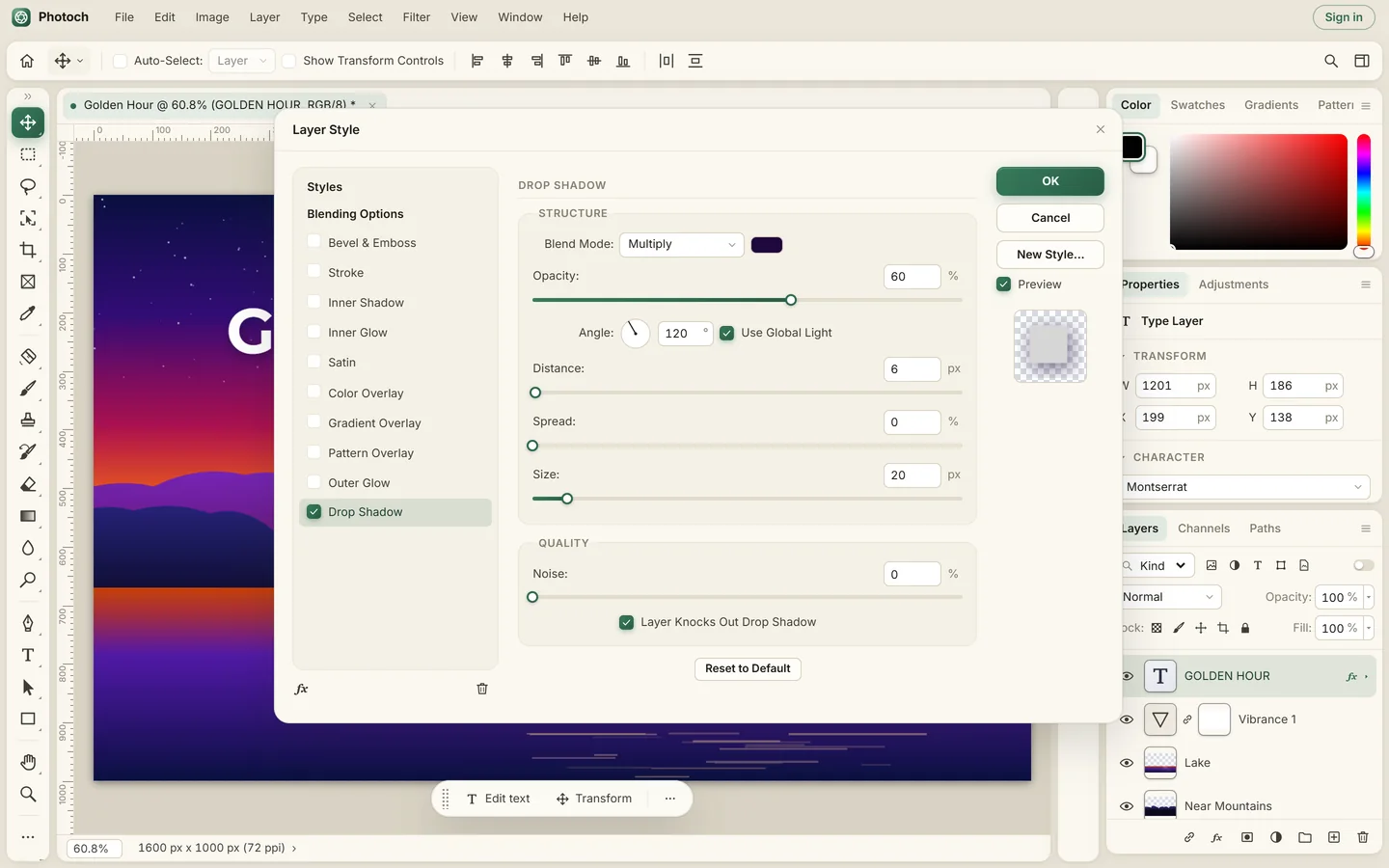
Selections down to the hair
Rectangular and Elliptical Marquee, Lasso, Polygonal and Magnetic Lasso, Magic Wand, Quick Selection and Object Selection. Select a color range, the sky or the in-focus area, then clean up edges with Refine Selection or paint in Quick Mask mode.
Or let AI do it: Select Subject finds the main subject in one click, and Select by Prompt selects whatever you name, like "select the sky".
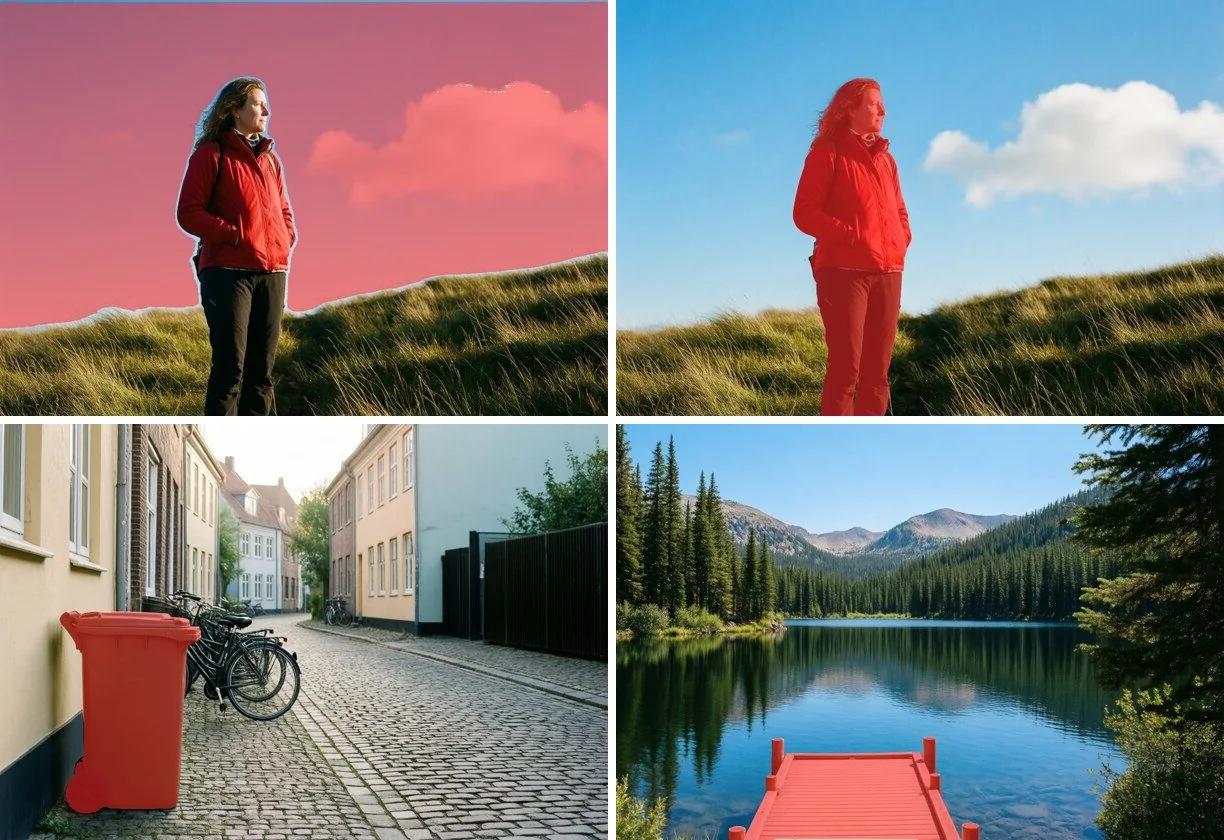
Retouching and painting
Healing tools
Spot Healing Brush, Healing Brush, Patch, Content-Aware Move, Red Eye and the Clone Stamp remove blemishes, dust and distractions.
Smart Fill
Select something and fill it from its surroundings, right in your browser.
Liquify and transform
Push, pull and reshape with Liquify, and use Free Transform with Scale, Rotate, Skew, Distort, Perspective and Warp.
Brushes
Brush, Pencil, Mixer Brush, Eraser, Background Eraser, Magic Eraser, Dodge, Burn, Sponge, Blur, Sharpen and Smudge, with your own brush presets.
Type and shapes
Horizontal and vertical type with Character and Paragraph panels and Warp Text, plus pen tools, paths and editable shapes.
Crop and canvas
Crop and Perspective Crop, Image Size with resampling, Canvas Size, rotate and flip, Trim, guides, grids and rulers.
Filters and photo development
Gaussian, Surface, Motion and Lens Blur; Unsharp Mask, Smart Sharpen and High Pass; Add Noise and Reduce Noise; Oil Paint, Lens Flare, Clouds, Mosaic, Twirl, Ripple, Spherize, Emboss, Find Edges and more.
Use Develop for white balance, exposure, tone, clarity, dehaze and color in one place, and Lens Correction to fix distortion, color fringes and vignetting.
AI tools
Photoch includes AI features you can use for free every day. Sign in for a larger daily allowance.
Generative Fill
Select an area and describe what to add. You get three variations on a new layer. How Generative Fill works
Remove objects
Select a person, a sign or a bin and leave the prompt empty: Photoch removes it and fills in the background.
Remove background
One click cuts out the subject with a layer mask, so you can bring any part back. Remove a background
Select Subject and Select by Prompt
Select the main subject, or name what you want selected, and refine the result with any selection tool.
Your files, your formats
Open PSD and PSB files with their layers, groups, masks, blend modes, layer styles, adjustment layers and editable text, and save your work as PSD to keep everything editable. More about editing PSD files.
- Opens PSD, PSB, JPEG, PNG, WebP, AVIF, GIF, BMP, SVG and ICO
- Saves PSD, and exports PNG, JPEG, WebP and BMP
- Save for Web, Quick Export as PNG and Layers to Files
- Recent files stay in your browser, ready to reopen from the home screen
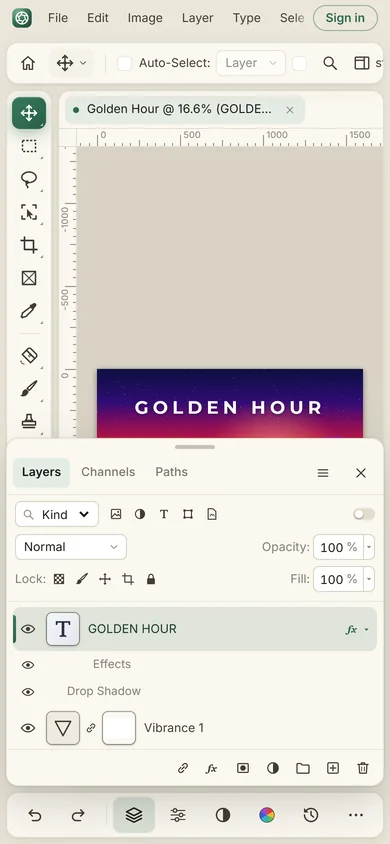
Works on any device
Photoch runs in any modern browser on Windows, macOS, Linux, ChromeOS, Android and iPadOS. On a touch screen, pinch to zoom, drag with two fingers to pan, tap with two fingers to undo and with three to redo. Panels move into a sheet at the bottom on small screens.
Private by design
Opening, editing and saving happen on your own device. Your images are not uploaded, except for the part an AI feature needs, which is processed and deleted right away. Read the privacy policy.
Open the editor and try it
Free, in your browser, with nothing to install.