 Photoch
Open the editor
Photoch
Open the editor
Photoshop alternative
A free Photoshop alternative that works online
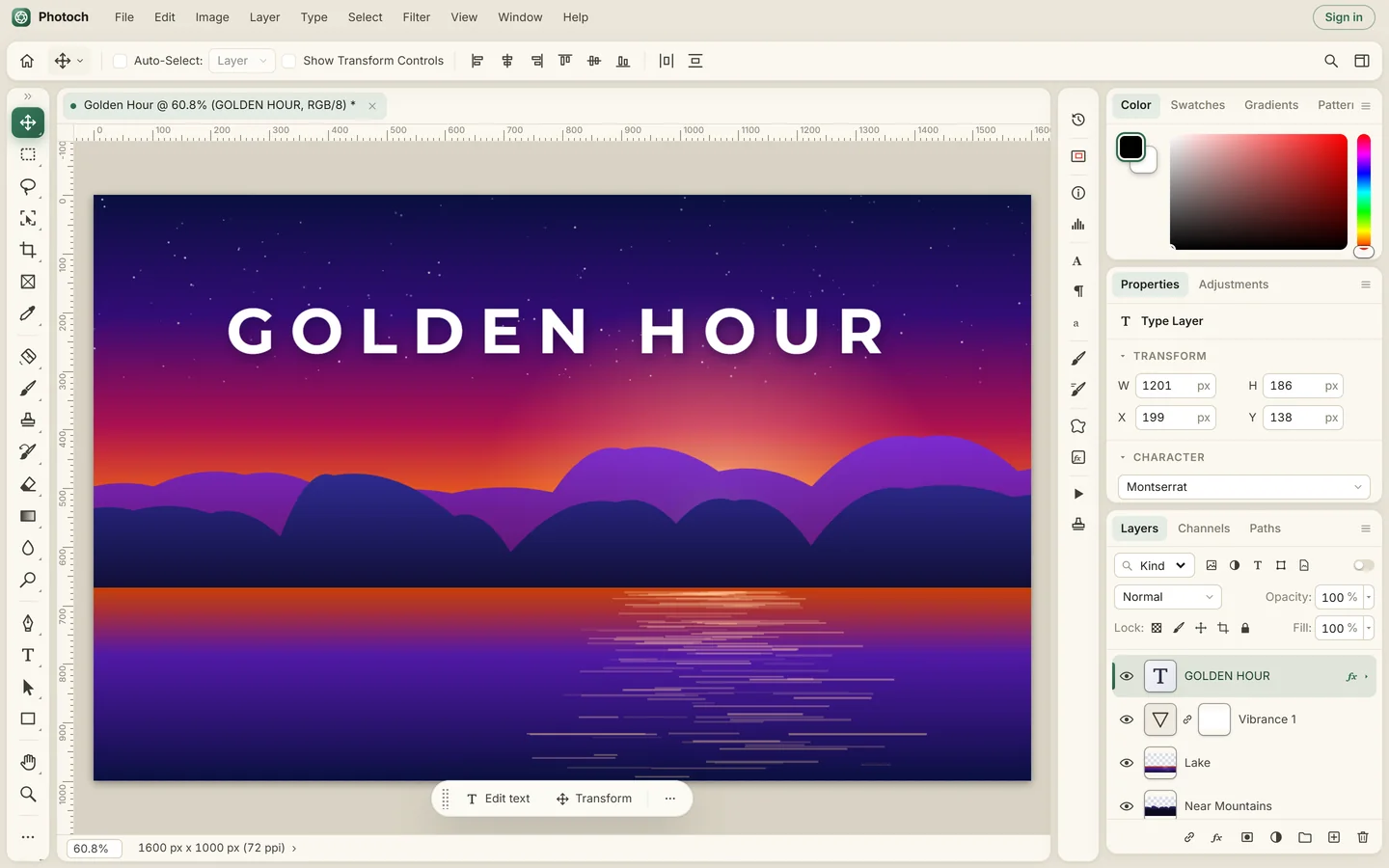
If you know Photoshop, you already know your way around Photoch. It's a free photo editor that runs in your browser, with the same kind of menus, tools, panels and keyboard shortcuts, and it opens your PSD files. Nothing to install and no subscription.
Why people use Photoch instead
It's free
The whole editor is free to use, with no watermark on your exports and no account needed.
Nothing to install
Open photoch.com and start editing. It works on Windows, macOS, Linux and Chromebooks, and on tablets and phones.
A layout you already know
A menu bar, a toolbar on the left, panels on the right and the usual shortcuts: V Move, B Brush, Ctrl+T Free Transform, Ctrl+J Layer via Copy.
Your PSD files
Open PSD and PSB files with their layers, and save as PSD to carry on in any other editor that reads them.
AI built in
Generative Fill, object removal, Select Subject, Select by Prompt and one-click background removal.
Private
Your images are edited on your own device. Only an AI feature sends the part of the image it needs, and it's deleted right after.
What you get
Photoch covers the everyday work of photo editing, retouching and compositing:
| Area | In Photoch |
|---|---|
| Layers | Groups, 27 blend modes, opacity and fill, clipping masks, layer masks, smart layers, layer styles |
| Adjustments | Levels, Curves, Hue/Saturation, Color Balance, Black & White, Selective Color and more, as adjustment layers |
| Selections | Marquees, lassos, Magic Wand, Quick Selection, Object Selection, Color Range, Select Subject, Select by Prompt, Refine Selection |
| Retouching | Spot Healing, Healing Brush, Patch, Clone Stamp, Content-Aware Move, Smart Fill, Liquify |
| Filters | Blur, sharpen, noise, distort, stylize and render filters, Develop and Lens Correction, live filters |
| Type and vector | Horizontal and vertical type, Warp Text, pen tools, paths and shapes |
| AI | Generative Fill, object removal, background removal, Select Subject, Select by Prompt |
| Files | Opens PSD, PSB, JPEG, PNG, WebP, AVIF, GIF, BMP, SVG and ICO; saves PSD; exports PNG, JPEG, WebP and BMP |
| Price | Free. AI features have a daily allowance, doubled when you sign in |
Generative Fill in your browser
Select an area, type what you want there, and pick from three variations. Each result is a new layer with a mask, so it's easy to adjust or undo. Leave the prompt empty to remove whatever you selected.

Is it right for you?
Photoch is a good fit for photo editing, retouching, compositing, social media graphics and working with PSD files on any computer. It runs inside your browser, so very large documents depend on your device's memory, and the AI features need an internet connection. Try it with your own files: it takes a few seconds to open.
Questions
Is Photoch really free?
Yes. The editor is free, with no watermark and no account needed. The AI features have a daily allowance, which is larger when you sign in.
Can Photoch open PSD files?
Yes. Photoch opens PSD and PSB files with their layers, groups, masks, blend modes, layer styles, adjustment layers and editable text, and it can save your work as PSD.
Do I need to install anything?
No. Photoch runs in a modern web browser such as Chrome, Edge, Firefox or Safari, on a computer, a tablet or a phone.
Is Photoch made by Adobe?
No. Photoch is an independent product and is not affiliated with or endorsed by Adobe. Adobe and Photoshop are trademarks of Adobe Inc.
Edit your next photo in Photoch
Free, in your browser, with nothing to install.